ZTechTemplates — Upload Templates
The Upload Templates feature allows you to easily add new project templates to the system for review and approval — all from within Excel.
Using the upload window, you can:
- 📁 Select a Template File — Choose an Excel file to upload. Only Excel files are supported to ensure consistency.
- 🏗 Select a Discipline — Assign the template to a specific discipline such as Bridge Engineering, Roads, Rail, or General.
- 📝 Add Project Information — Optionally include extra details like the Project Name, Project Number, and Client Name to keep your templates organized and identifiable.
- 📤 Upload for Approval — Once everything is set, upload your template so it can be reviewed and approved by an administrator.
This feature helps maintain a structured and traceable template library, ensuring that all templates are properly categorized and ready for use across your projects.
Features:
-
Select a Template File
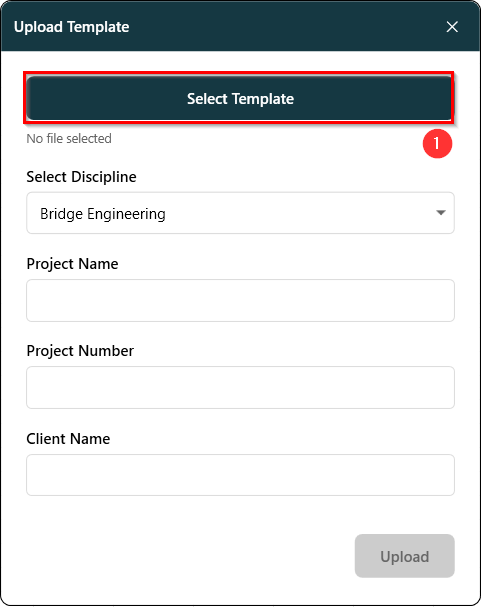
- Choose an Excel file to upload. Only Excel files are supported to ensure consistency. The viewport shown in figure 1.1 below allows us to select and upload excel templates.
-
Select a Discipline
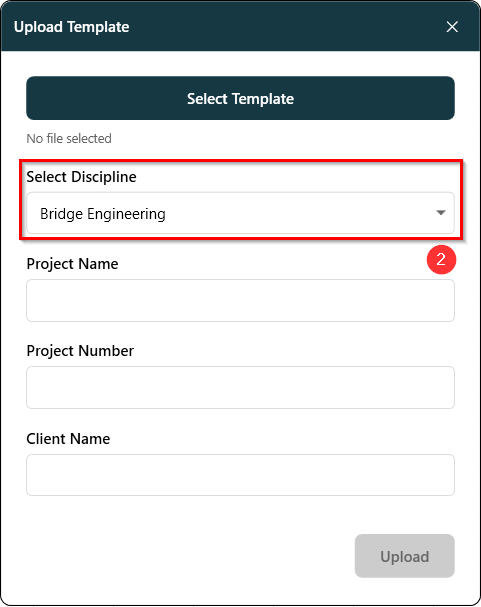
- Assign the template to a specific discipline such as Bridge Engineering, Roads, Rail, or General. The viewport shown in figure 1.2 below shows all the availabe discipline to select from.
-
Add Project Information
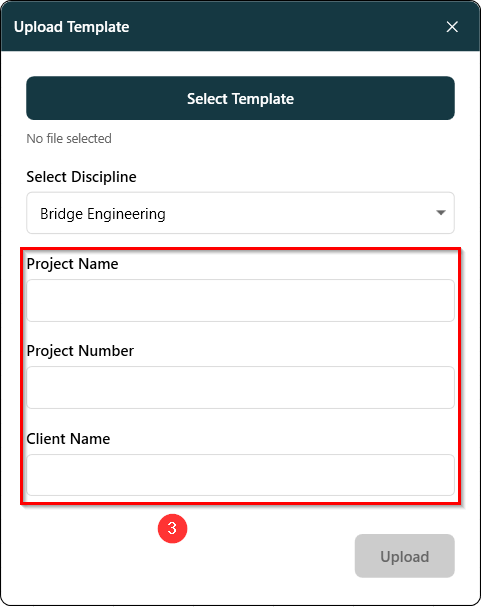
- Optionally include extra details like the Project Name, Project Number, and Client Name to keep your templates organized and identifiable. The viewport shown in figure 1.3 below shows all the availabe extra info to add.
-
Add Project Information
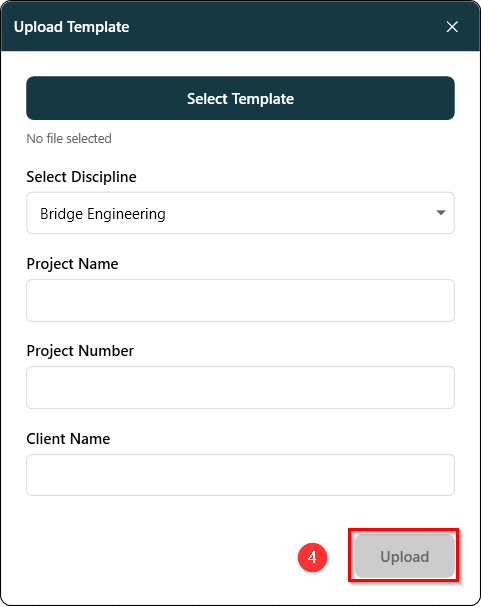
- Once everything is set, upload your template so it can be reviewed and approved by an administrator. The button shown in figure 1.4 uploads the selected template to sharepoint for approval.