ZTechTemplates — Template Configuration
The Template Configuration page allows you to choose which disciplines’ templates you want to see in the Template Browser.
In the configuration window, you can:
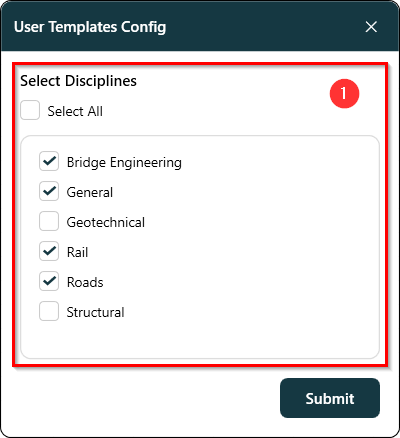
- ✅ Select Disciplines — Use the checkboxes to choose which disciplines’ templates you’d like to view.
- ☑️ Select All — Quickly select all available disciplines at once.
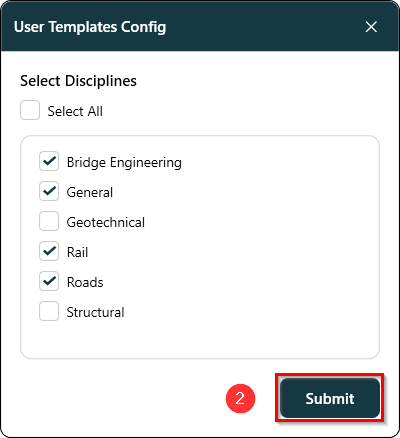
- 💾 Submit Changes — Save your selections to update what appears in your Template Browser.
This feature helps you focus only on the templates that are relevant to your work, keeping your Template Browser organized and easy to navigate.
Features:
-
Select a Template File
- Use the checkboxes to choose which disciplines’ templates you’d like to view. The viewport shown in figure 1.1 below shows all the available disciplines to select from.
-
Submit Changes
- Save your selections to update what appears in your Template Browser. The button shown in figure 1.2 below saves the selected disciplines to update the template browser.