ZTechTemplates — Template Browser
The Template Browser is the main panel where you can view and explore all available project templates directly in Excel.
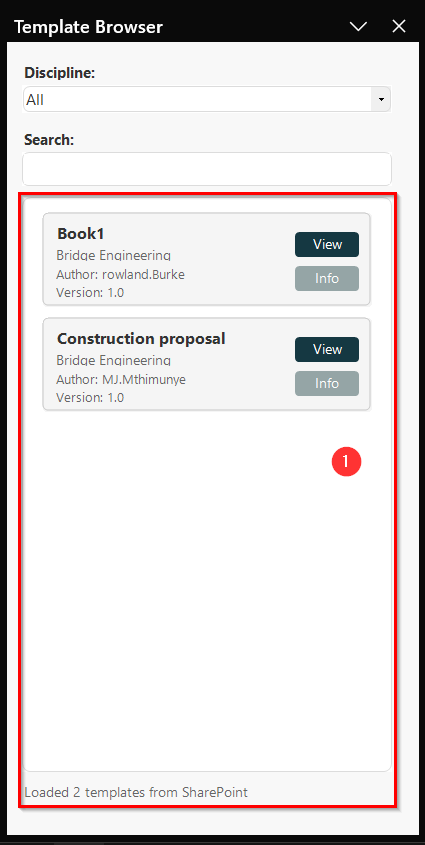
Each template card includes two buttons:
- 👁 View — Opens the selected template so you can review its contents.
- ℹ️ Info — Displays details about the template, such as its author, version, and discipline.
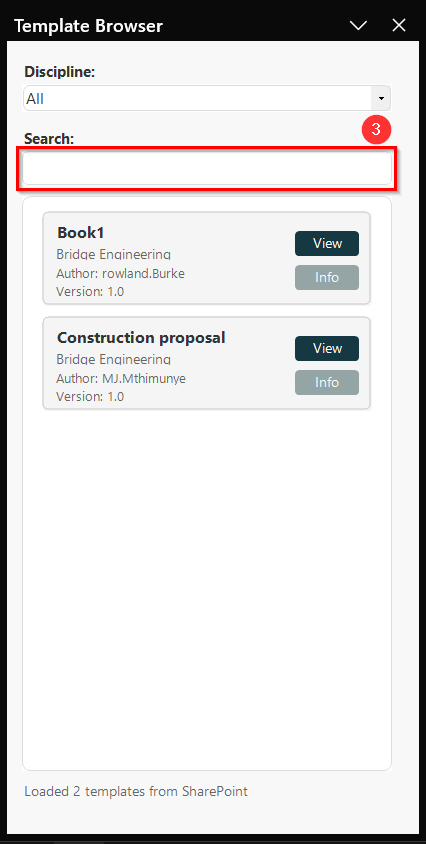
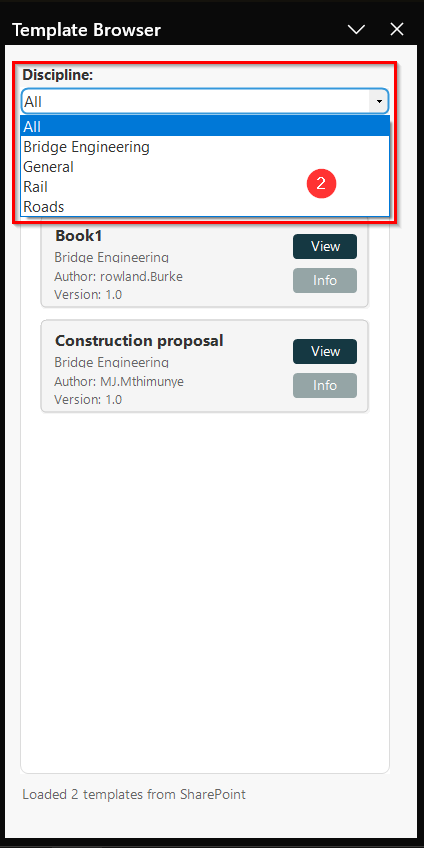
You can also filter templates by discipline to focus on what’s relevant to your work, or search for a specific template by name.
Features:
-
View Templates
- The Template Browser makes it quick and easy to find, review, and manage the templates you need without leaving Excel. The viewport shown in figure 1.1 below allows us to view and download templates.
-
Filter Disciplines
- The Template Browser makes it quick and easy to find, review, and manage the templates you need without leaving Excel. The viewport shown in figure 1.2 below allows us to view and download templates.
-
Search Templates
- The Template Browser makes it quick and easy to find, review, and manage the templates you need without leaving Excel. The viewport shown in figure 1.3 below allows us to view and download templates.